
Free up C: drive space on Windows
The gigabytes are still there. Just hidden.
Find the hidden WSL2 and Docker virtual disks, package caches, node_modules and build artifacts eating your disk, and reclaim them safely.
Free for 7 days · No credit card required
Product
One scan. Every hiding place.
Every screenshot below is SpaceFree, running in demo mode, on a real developer machine, not a mockup.
Overview
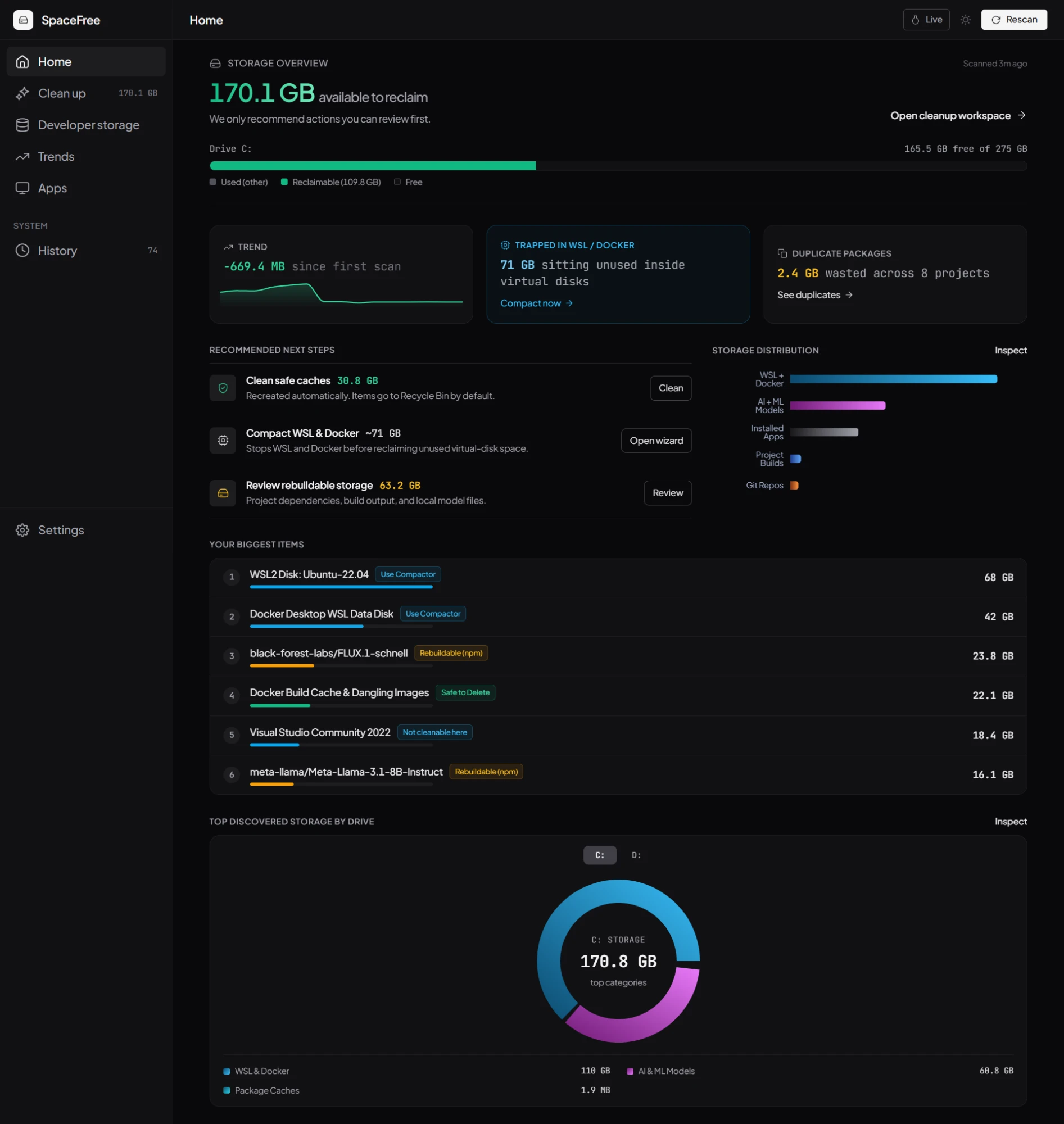
One number for the whole drive
Every cache, every disk, every drive letter, rolled into one figure you can act on.
Developer storage
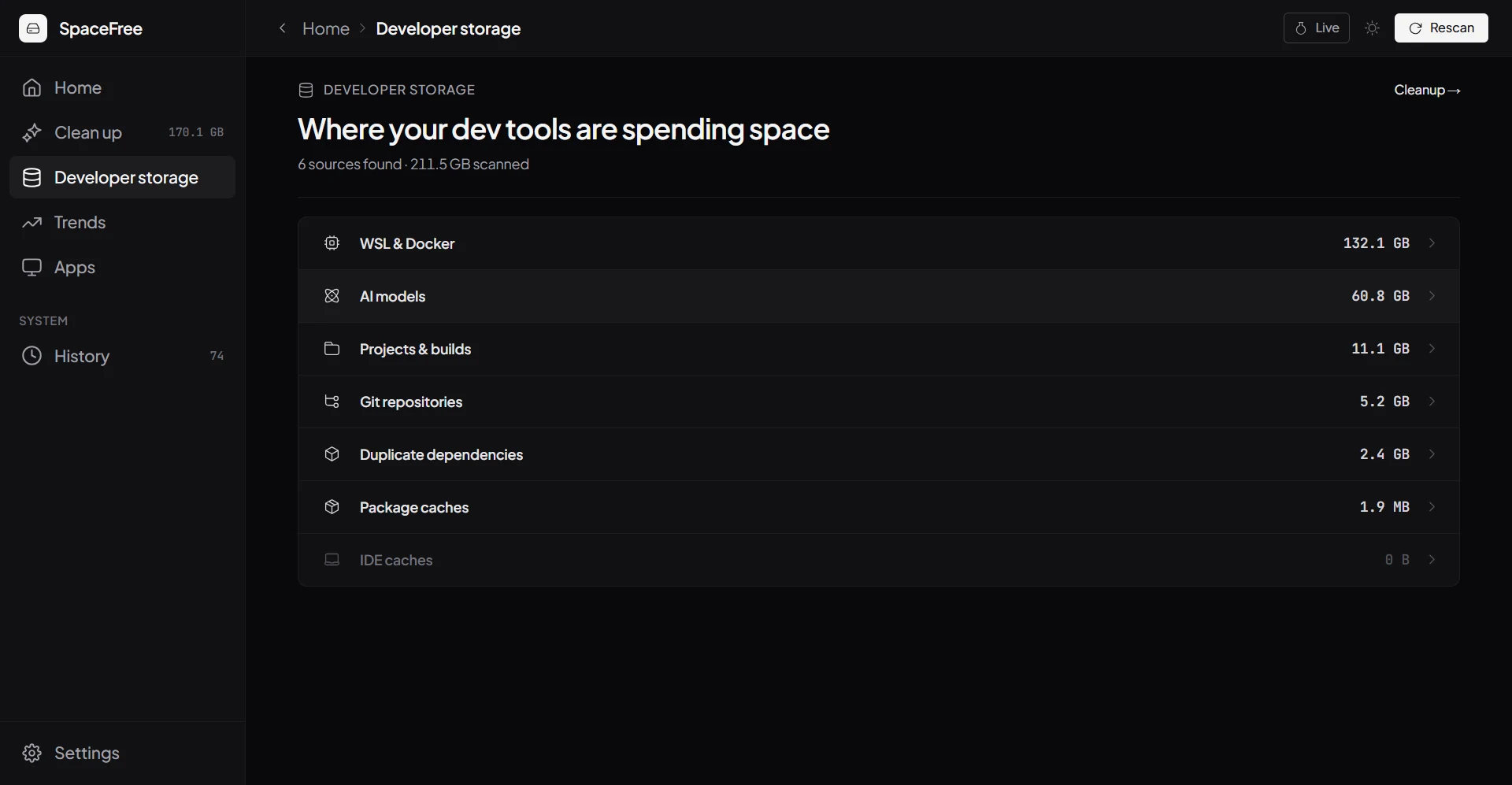
Every source, broken down
WSL & Docker, AI models, project builds, and git repos, all on one page showing where it went.
Cleanup
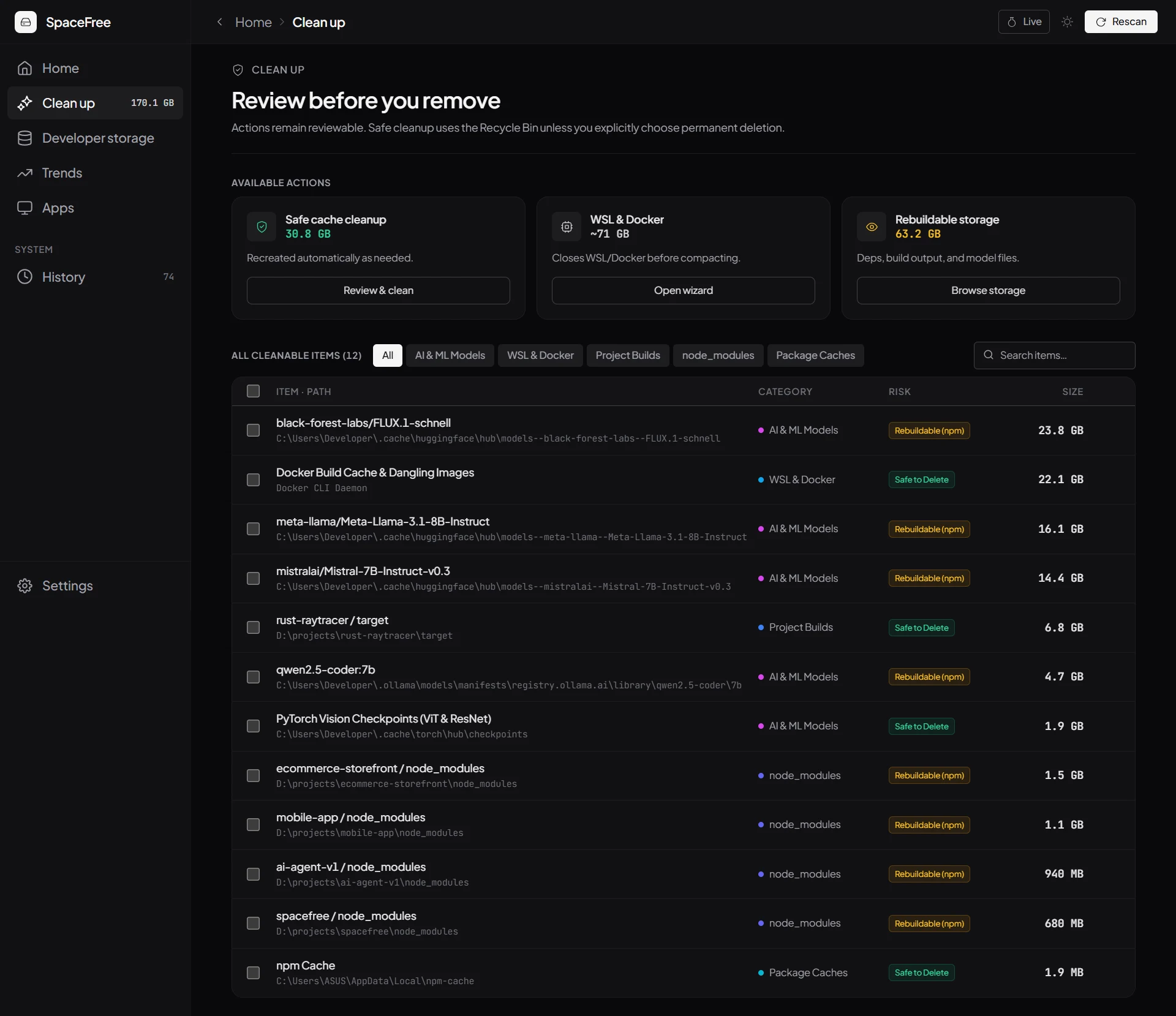
Nothing deletes blind
Every single item gets tagged Safe to Delete, Rebuildable, or Not cleanable.
Trends
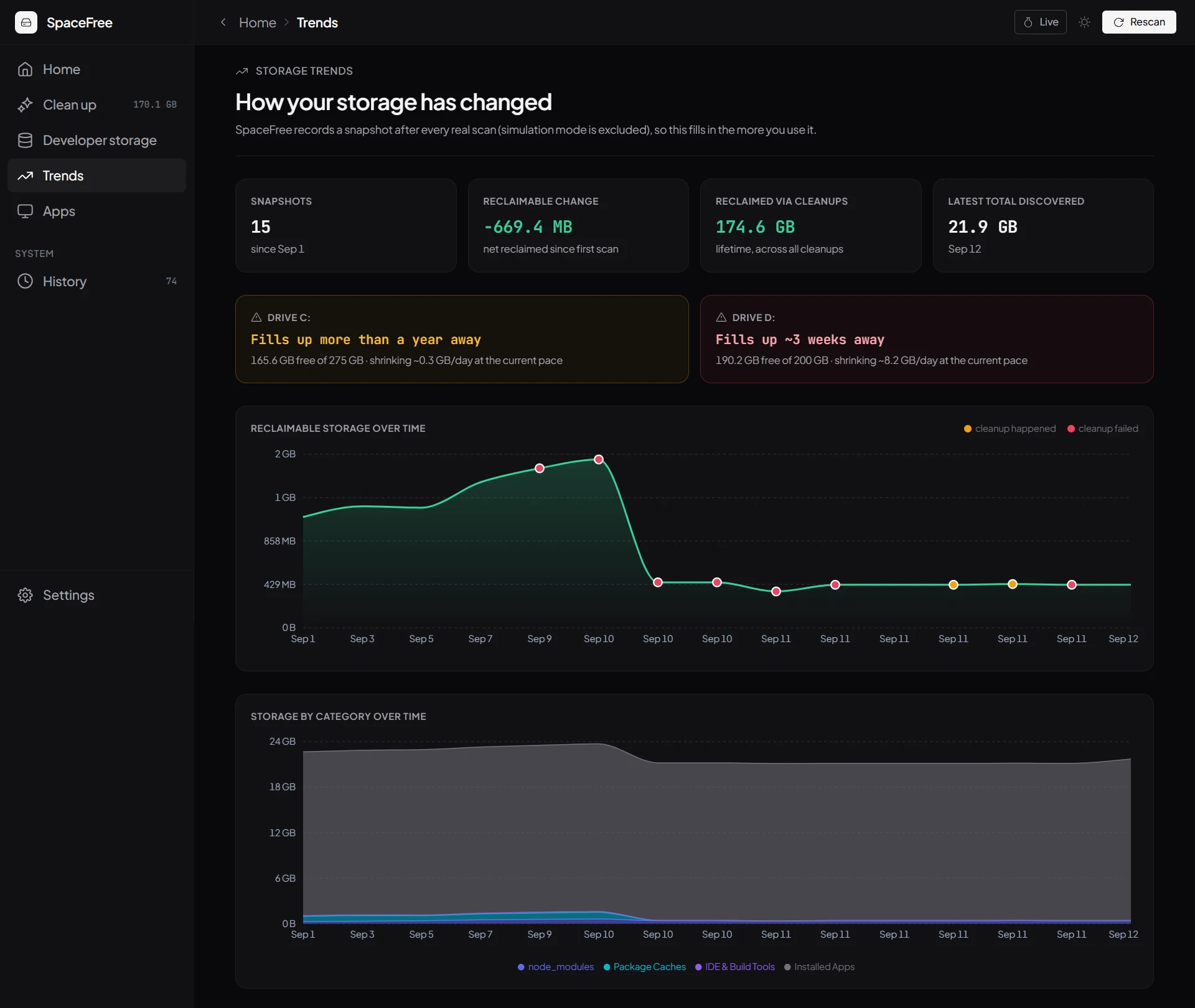
See it recover over time
Every real scan is logged, so you can watch reclaimable space change.
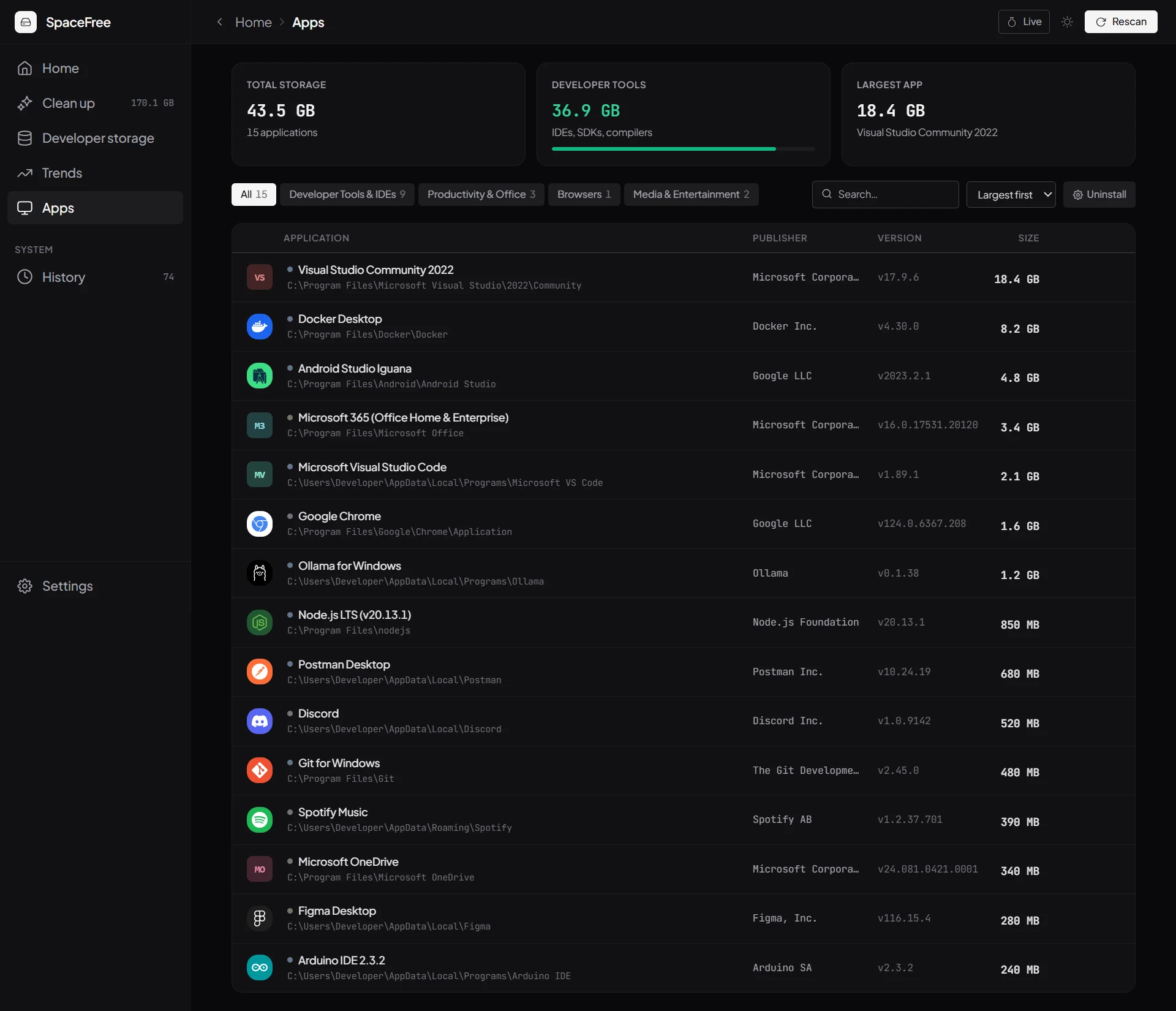
Apps
Every install, sized
Publisher, version, true footprint, sorted the moment a scan lands.
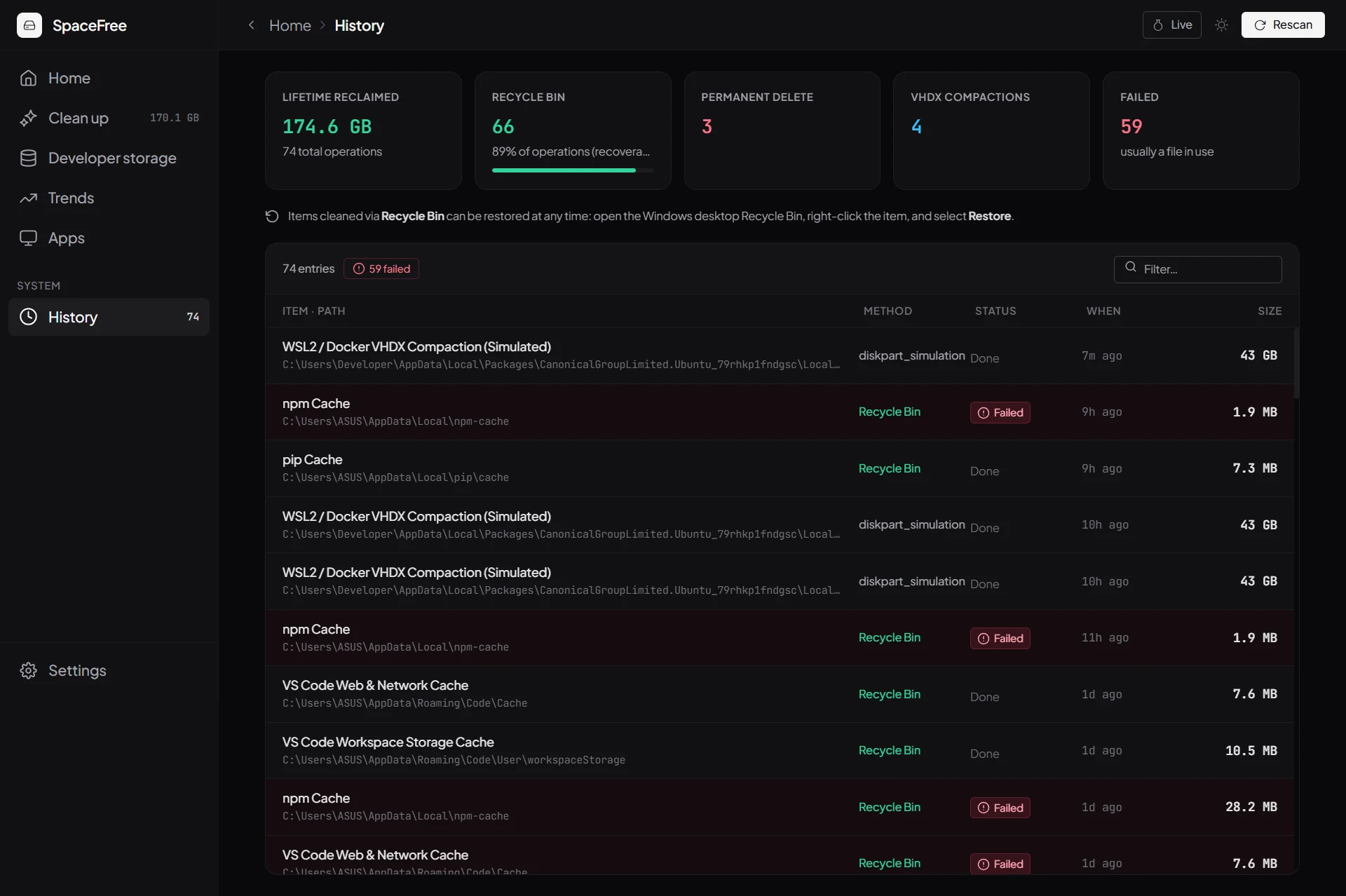
History
A complete paper trail
Every cleanup and compaction gets logged: what ran, when, and how much it freed.
Trust
Nothing deletes without your say-so
Recycle Bin by default
Deletions use the Windows Shell API to move files to the Recycle Bin, so a mistake is always recoverable. Permanent delete is opt-in.
Full audit log
Every deletion and compaction event is written to a persistent local log, so you can see exactly what changed and when.
Runs locally, only
SpaceFree scans and cleans on your machine. Nothing about your files or folder structure is uploaded anywhere.
What it scans
Every hiding place, one scan
The same categories the app itself scans for, nothing more, nothing left out.

WSL & Docker
The WSL2 ext4.vhdx file and every virtual disk Docker Desktop creates. Both grow forever unless compacted.


node_modules
Installed dependencies sitting inside your own JavaScript and TypeScript projects, not a shared cache.


Package caches
npm, pnpm, Yarn, pip, Conda, NuGet, Cargo, Gradle, Maven and Go, wherever each one hides its cache.


IDE & build tools
Caches from JetBrains IDEs, Android Studio, VS Code and Visual Studio.
Project builds
.next, dist, build and target folders compiled from your own source code.


AI & ML models
Local model weights from Ollama, Hugging Face Hub and PyTorch checkpoints.

Git repositories
Unreachable objects and bloated pack files inside repos you already have.
System & user temp
Scratch files, crash logs and leftover installers dev tools forget to clean up.
Pricing
Everything included. Pay once, keep it.
Start free for 7 days, no card required, then pay once whenever you're ready.
Full access for a week. No credit card required.
- Full drive scan across every disk and drive letter
- WSL2 & Docker VHDX compaction wizard
- Safe cleanup, Recycle Bin by default
- Storage trends, history, and audit log
- Runs entirely on your machine
- AI assistant platform storage insights
- Running: live dev servers, databases & Docker containers
SpaceFree for Windows 10/11 · 64-bit
Pay once, use it forever. Code 0XTPSI0X3CTH applied automatically.
Few seats left at this price
- Full drive scan across every disk and drive letter
- WSL2 & Docker VHDX compaction wizard
- Safe cleanup, Recycle Bin by default
- Storage trends, history, and audit log
- Runs entirely on your machine
- AI assistant platform storage insights
- Running: live dev servers, databases & Docker containers
SpaceFree for Windows 10/11 · 64-bit
Guides
Learn where your disk space went
Sourced, step-by-step guides to freeing up C: drive space on Windows.
Why Your WSL2 Disk Won't Shrink (and the Fix)
Deleting files inside WSL2 does not hand the space back to Windows. Here is why, and the documented ways to compact the ext4.vhdx file.
Docker Desktop Disk Space on Windows
How to see what Docker is using, what docker system prune actually removes, and why the space may not come back to Windows straight away.
Free Up C: Drive Space on Windows Safely
How to use Windows Disk Cleanup, Storage settings, and a disk space analyzer to find what is filling your C: drive without deleting useful files.
SpaceFree vs WizTree vs TreeSize vs WinDirStat
How SpaceFree, WizTree, TreeSize and WinDirStat actually differ: scan method, license, and whether any of them understand WSL2, Docker Desktop or AI coding assistant storage.
Yes. Sign in with Google and you get a full 7-day trial with every feature unlocked, no credit card required. After that you can pay once for lifetime access, there is no subscription.
Explore SpaceFree
Curious how SpaceFree works?
Ask your favorite AI assistant what SpaceFree does, how it works, and how to download it.
 ChatGPT
 Claude
 Perplexity
 Gemini
Download SpaceFree
Free for Windows 10 and 11. Scan your drive, see exactly what WSL2 and Docker are hoarding, and reclaim it safely.
Microsoft Store
Verified publisher. Installs cleanly with no security warnings.

Windows Installer
Portable .exe installer. Windows may show a security warning during setup.
Download for WindowsVersion 1.3.1 · Windows 10/11 · 64-bit